Rep Rabbit
Get early access

The fast, flexible workout tracker for busy people.

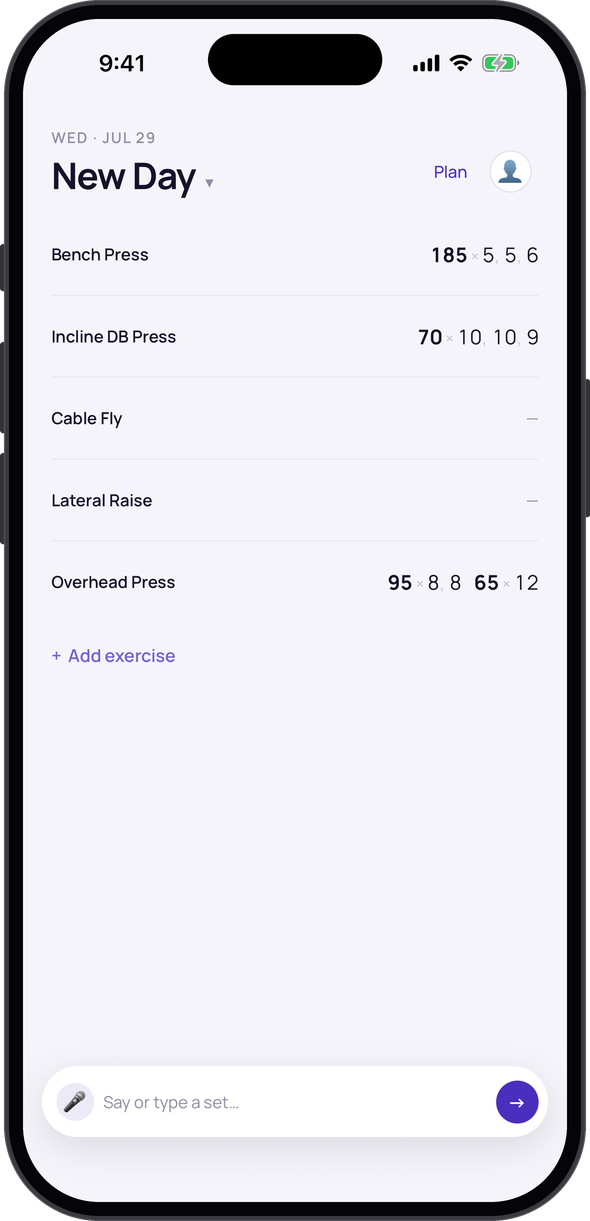
Log sets in seconds with zero setup, adjust your plan on the fly to the time and equipment you have, and get answers about and lift confidently with coaching.

You're in. I'll be in touch. If you're up for a 15-minute chat about how you track your workouts today, just reply to the confirmation email — that's how this gets built right.

You've got an hour, and you need to lock in.

But you're spending a lot of time managing your workout.

What if one thing carried all of it (the logging, the math, the plan, the coaching) so you could focus on training?

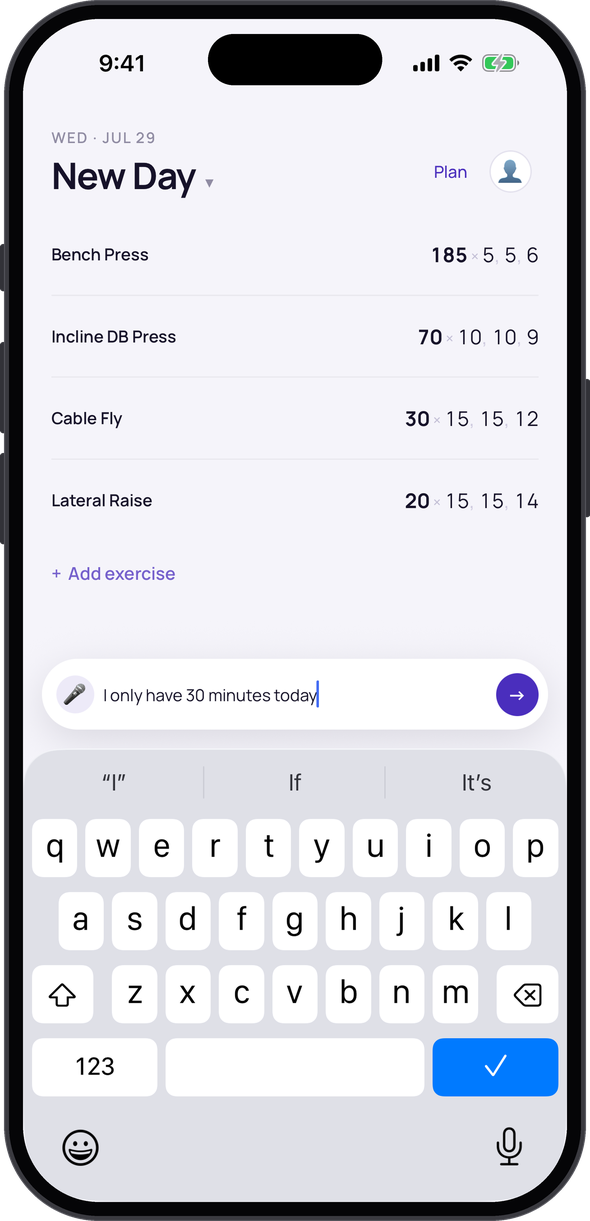
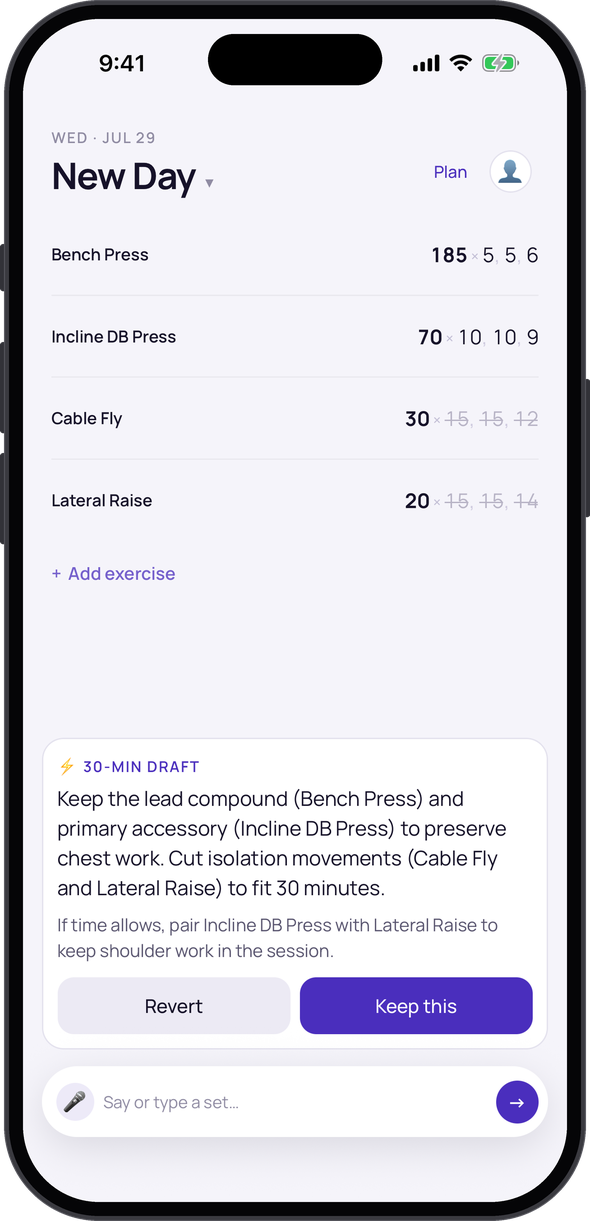
Spend zero time managing your plan mid-session.

Combine days, swap exercises, cut volume — in plain language, right in the session. Your program template stays untouched. Today's deviation was just for today.
Other apps — incline DB, 3 sets
1Open exercise picker
2Search "incline"
3Select exercise
4Tap weight field
5Enter weight
6Tap reps field
7Enter reps
8Tap + Add set
9Enter weight
10Enter reps
11Tap + Add set again
12Change weight
13Enter reps
14Confirm / Save

14 taps. Still at the rack.
Rep Rabbit
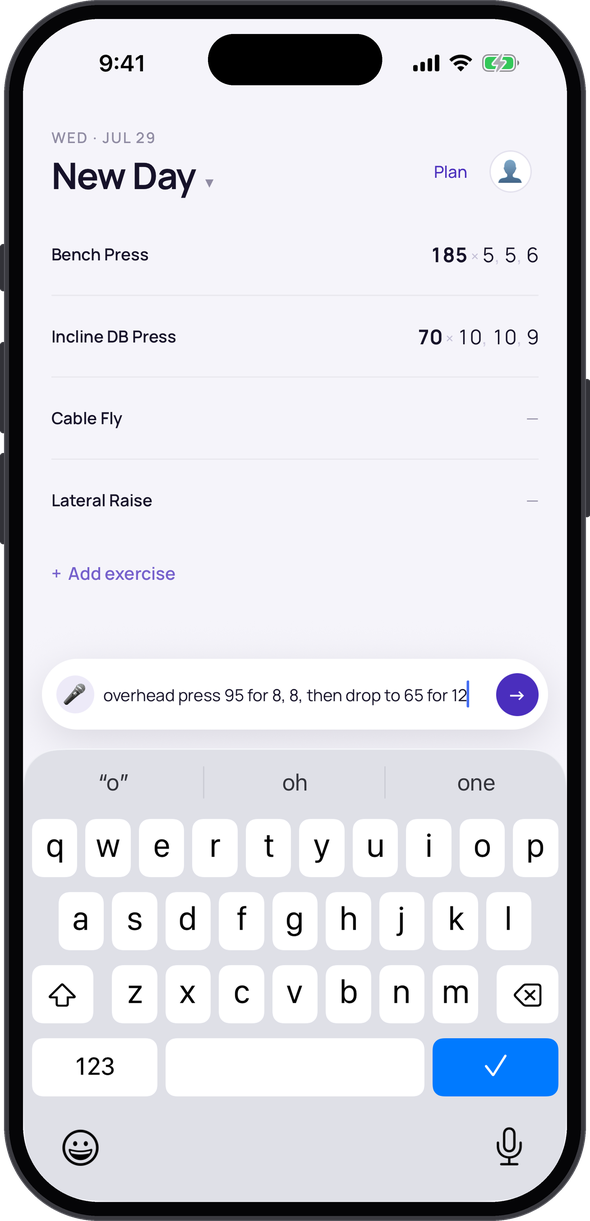
"incline DB — 70s for 6, 6, then back off to 40s for 4"
70 lbs × 6Set 1
70 lbs × 6Set 2
40 lbs × 4Back-off
1 sentence. Done.

Log a set in one sentence. Get back under the bar.

Other apps charge you extra taps for every variation. Drop sets, supersets, rest-pauses: one sentence covers all of it. The more complex the set, the more time you reclaim.

Get coaching that already knows your program.

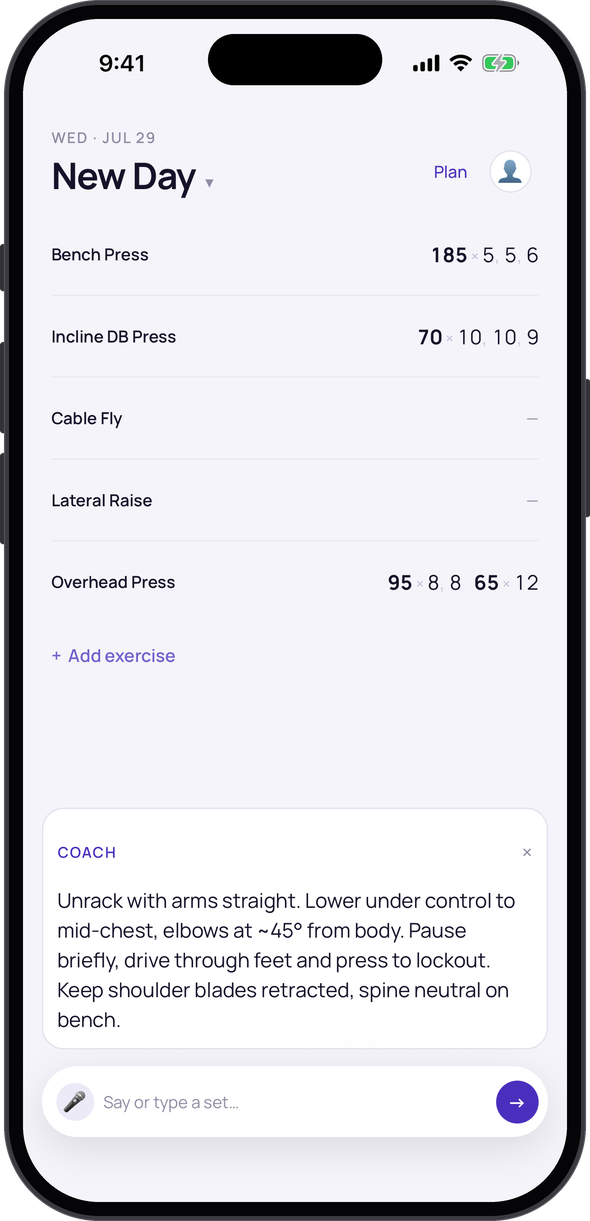
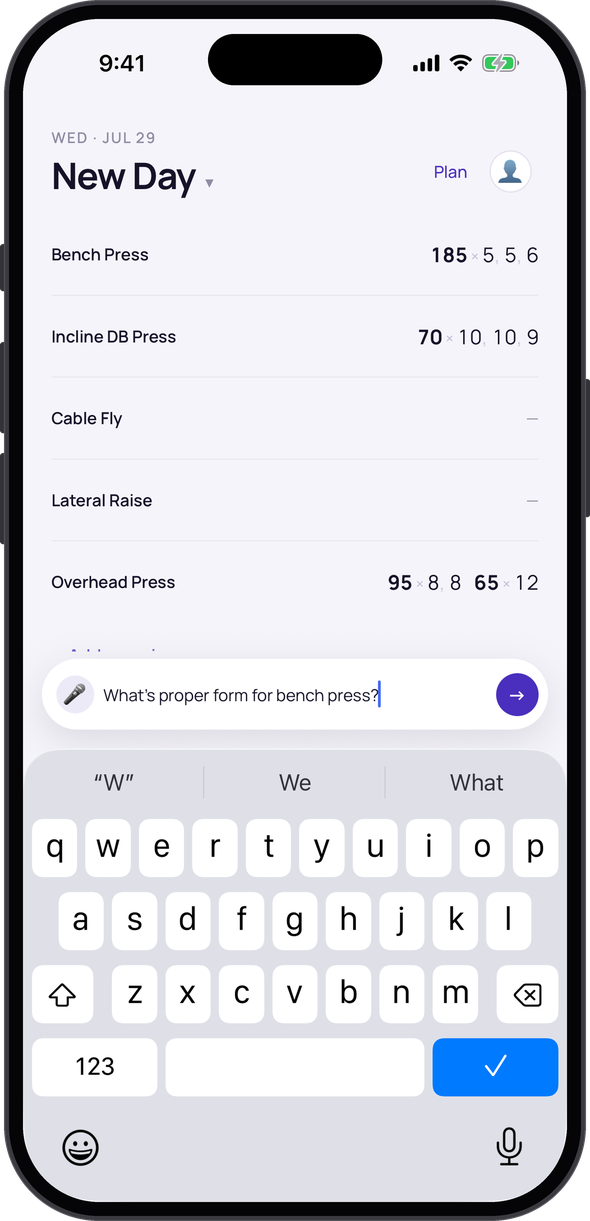
Break through a plateau, route around an injury, find a variation for the equipment you have, or ask about form on an exercise. Rep Rabbit already knows your program and history — so every answer actually fits your training.

A note from the founder
I logged every workout in Apple Notes for four years and hated every app I tried — they made me manage a database between sets when all I wanted was to train. So I'm building the one I actually want: it carries the numbers, the math, and what's next, so my head's free for the lift. If it doesn't clear that bar, it doesn't ship.
— Lucas · building in public at @RolloLucas

The short answers.

Will it lock me in if my session changes?
No — that's the point. Tell it what changed mid-session and keep going. Your program template stays intact; only the day's actual work gets recorded.
When can I use it?
Early access is rolling out to a small group first. Join and I'll reach out personally.
What does it cost?
Free during early access. Pricing comes later, once it's genuinely better than what you use today.
iPhone or Android?
iPhone first.
Do I have to talk to it?
No. Type it or tap it. Talking is just the fastest way when your hands are busy.
Is my data locked in?
No — your training history is yours. We'll never hold it hostage or wall it behind a subscription.

Stop managing your training. Start making progress.

You've already got a training plan. Now get a tracker that keeps up with it.

I'm letting a small group in first and talking with each one — your feedback shapes what gets built. Want in?

You're in. I'll be in touch. If you're up for a 15-minute chat about how you train today, just reply to the confirmation email.